
Desktop AI setup
Work your DirtSignal leads from ChatGPT or Claude.
Connect once, sign in with your paid DirtSignal account, and ask your desktop AI to search markets, find fresh leads, or research an address.
DirtSignal MCP URL
https://dirtsignal.com/mcp
ChatGPT Desktop
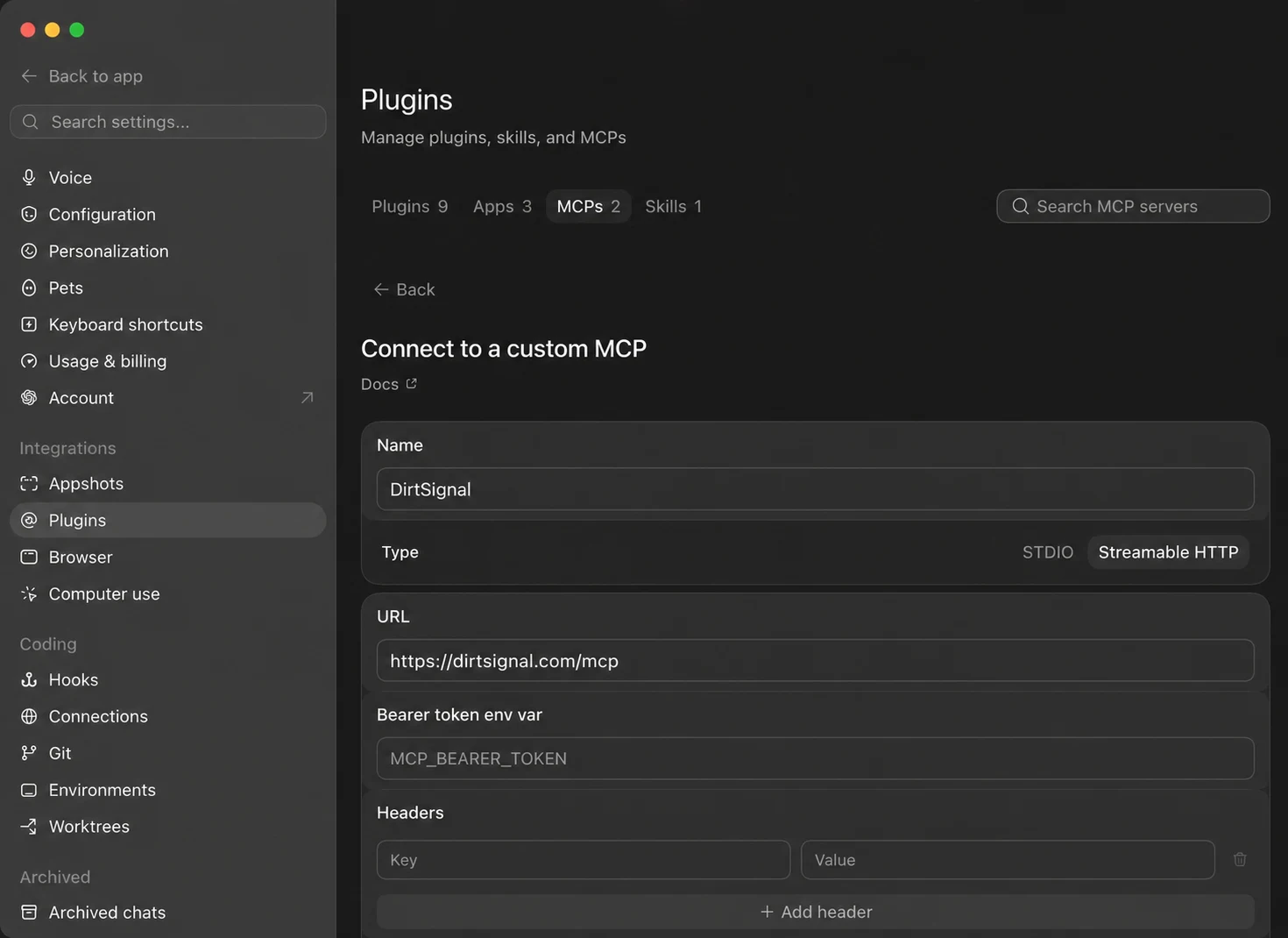
Connect with Streamable HTTP
- 1Click Plugins.
- 2Click Settings.
- 3Choose the MCPs tab.
- 4Click Add server and select Streamable HTTP.
- 5Name it DirtSignal and paste
https://dirtsignal.com/mcp. - 6Leave the bearer-token and header fields blank, then click Save.
- 7Click Authenticate and sign in to DirtSignal.
Claude Desktop
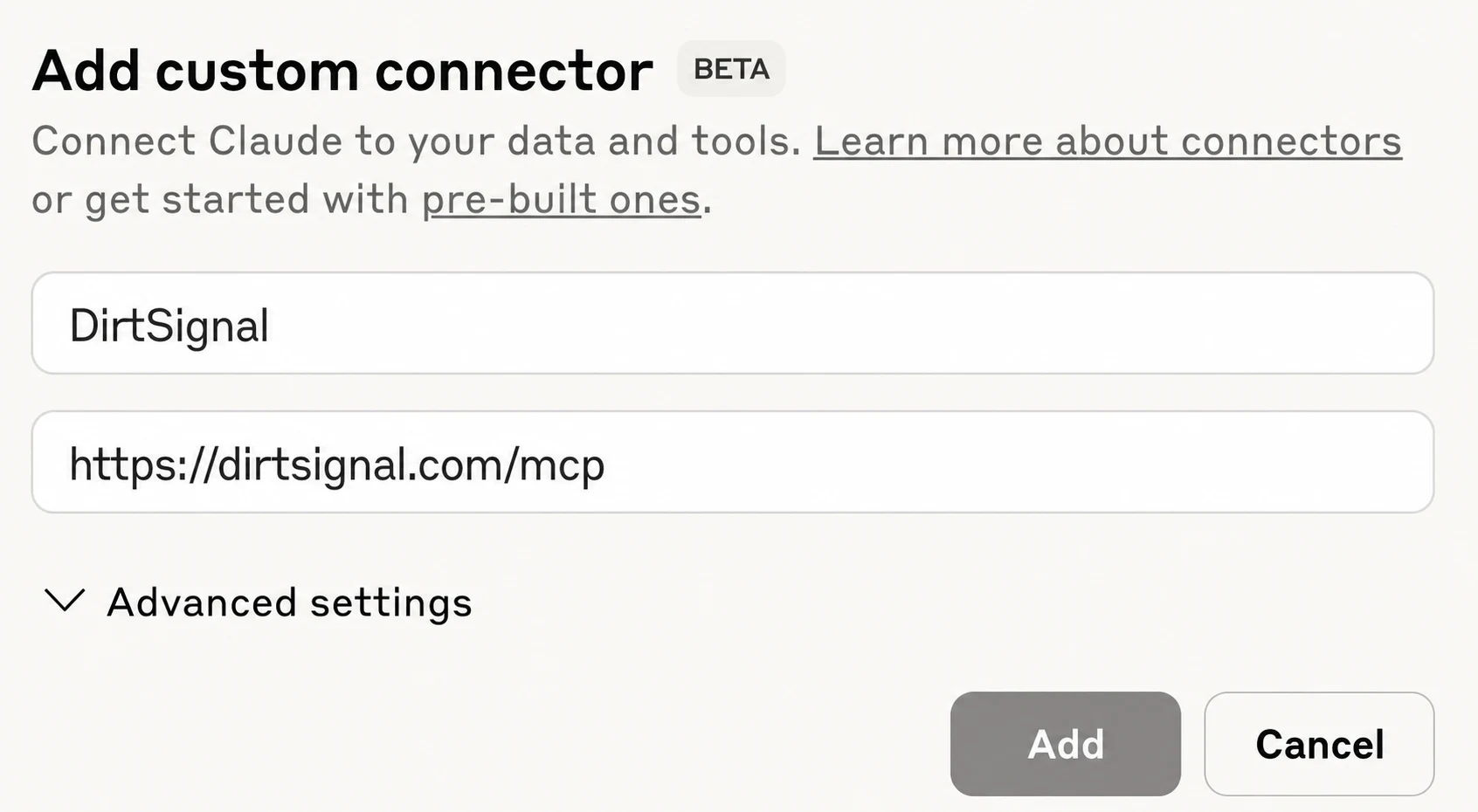
Add a custom connector
- 1Open Customize, then choose Connectors.
- 2Click +, then Add custom connector.
- 3Name it DirtSignal and paste
https://dirtsignal.com/mcp. - 4Click Add. No advanced settings are needed.
- 5Click Connect and sign in to DirtSignal.
- 6In a chat, use the + menu to enable DirtSignal when needed.
Try it
Start with a plain-English request.
Having trouble connecting?
Make sure the URL ends in /mcp and that you sign in with
the same paid account you use for DirtSignal.